
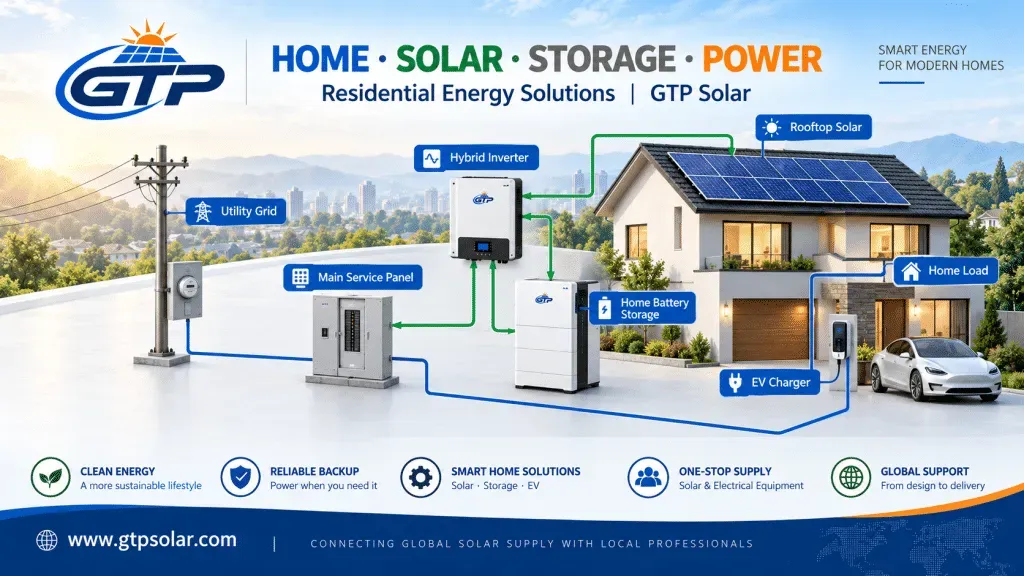
Residential storage enquiries usually arrive framed as a backup question – “will it keep the lights on?” – and get delivered as a self-consumption product. That gap is where customer dissatisfaction lives. The installer’s job is to design for the economics and then be precise about what the backup will and will not do.
This guide is written for installers specifying residential systems, not for homeowners, and it focuses on the decisions that change the equipment list.
Self-consumption is lower than owners expect
A typical home is empty during the hours its roof is generating. Realistic residential self-consumption without storage sits around 30 to 40 per cent, against 70 to 90 per cent for a daytime commercial facility – which is why the two markets need completely different sizing logic.
Adding a battery raises self-consumption substantially, and adding the right-sized battery can push it towards the high end. But the gain is bounded by the evening load: a battery bigger than the home’s overnight consumption simply does not cycle, and the customer pays for capacity that never earns. Size to the evening load, not to the panel rating.
Size the battery to the overnight load
The practical method is boring and reliable: take the household’s consumption between the hours generation stops and starts, subtract any baseline generation overlap, and size usable capacity to that number with a little headroom. Usable, not nameplate – the distinction matters and we cover it in the BESS specification guide.
Then check the power rating against the loads the customer actually cares about. A battery with generous kWh but limited continuous kW will run the lights and the fridge and trip on the kettle. Ask which appliances matter before choosing.
Backup: define the scope before quoting
“Backup” spans a very wide range of equipment cost, and the difference is a design decision made early:
- Critical loads panel – a defined sub-board covering selected circuits. Smaller battery, lower cost, and what most customers actually need.
- Whole-home backup – the entire installation is supported. Requires materially more power and energy, and honest conversation about what cannot run simultaneously.
- Islanding capability – not a software setting. It requires an inverter that can form the grid reference, and it must be specified from the start. Retrofitting backup capability later usually means replacing the inverter.
Put the critical loads list in writing on the quote. It is the single most effective way to prevent a dispute after an outage.
Module choice on a constrained roof
Residential roofs are area-constrained and increasingly appearance-constrained, which changes the module specification in two ways. First, where area is the binding constraint, higher efficiency buys real capacity rather than just a better datasheet. Second, all-black aesthetics carry a genuine price premium in this segment, and the back-contact products aimed at it are priced accordingly.
The technology comparison and the specifications that matter are set out in our 2026 module technology guide. For most residential work the correct default is a mainstream n-type product with a strong warranty; the premium options are justified by area limits or by the customer paying for appearance.
Hybrid or AC-coupled: decide by retrofit status
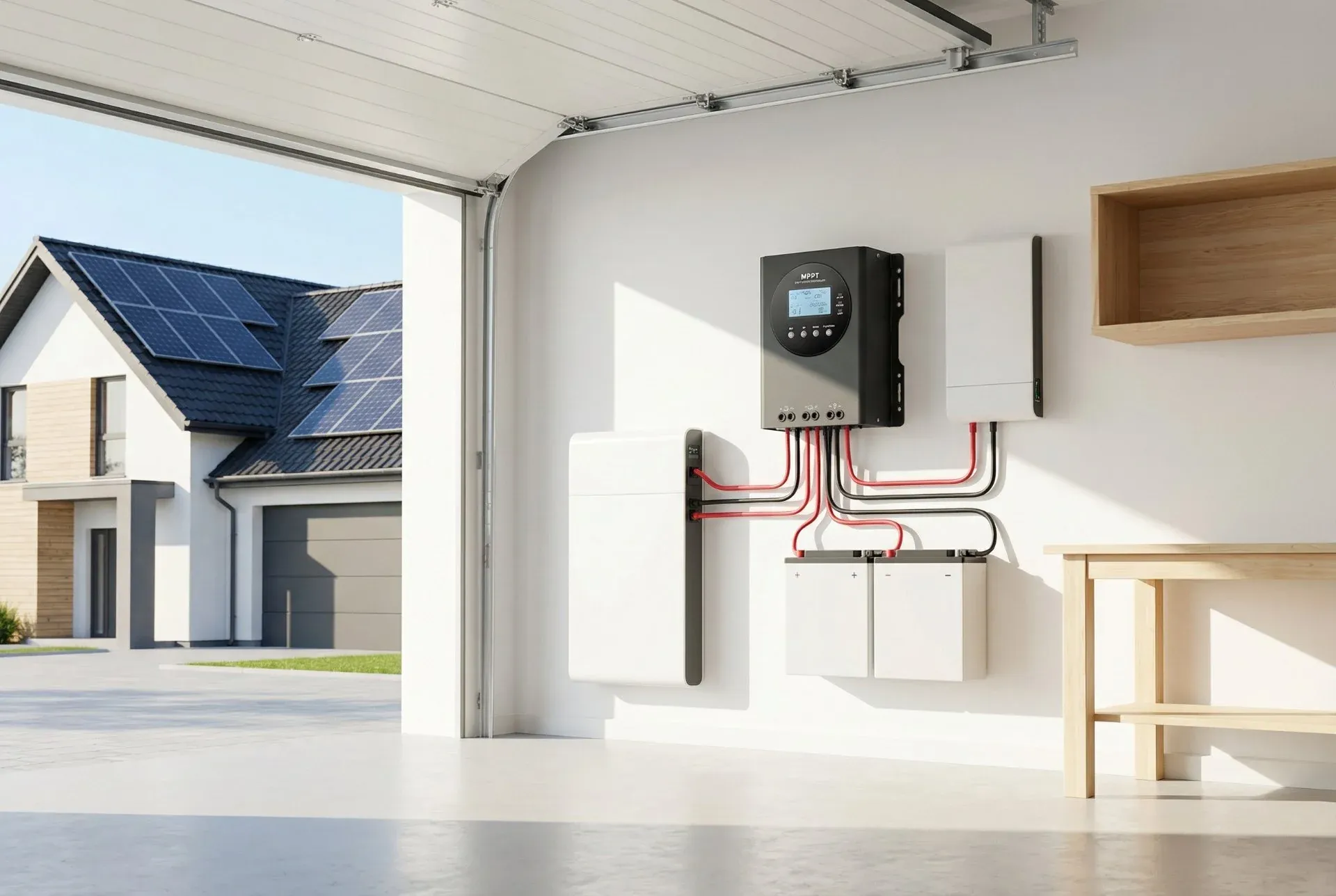
For a new installation where array and battery go in together, a hybrid inverter is usually the cleaner design – one unit managing both, with the battery on the DC side. For a battery being added to an existing array, AC coupling is almost always the pragmatic answer, because it leaves the existing inverter and its warranties alone.
The other constraint is backup: if the customer expects the house to run during an outage, the inverter must be islanding capable, and that requirement should be resolved before either architecture is chosen. See the inverter and grid connection guide for the interconnection side.
Warranty: read what the customer will actually claim against
Two warranties matter and they are not the same document. The product warranty covers defects and workmanship. The performance warranty covers retained output over time – commonly guaranteeing the mid-eighties per cent of original output at year twenty-five, in some cases better.
Read the exclusions that turn claims into arguments: operating temperature envelopes, installation requirements, and whether the warranty covers removal and reinstallation labour or only the replacement unit. Then register it. Unregistered warranties are the most common avoidable problem in this segment.
Give the customer monitoring they will understand
A monitoring portal the customer cannot read generates support calls for years. Specify string-level or at least circuit-level data if it is available at the price point, confirm what happens to data access if the vendor exits the market, and make sure the customer is shown the app at handover rather than being sent a link. Where possible, split the view: a simple consumption-and-savings screen for the owner, and a diagnostics view for you.
Specification checklist
Reference table
Swipe horizontally to view all columns →
| Item | Specify | Consequence if skipped |
|---|---|---|
| Evening load | Measured overnight consumption | Battery oversized and under-cycled |
| Backup scope | Written critical loads list | Dispute after first outage |
| Islanding | Decided before inverter selection | Inverter replacement to add backup |
| Architecture | Hybrid for new build, AC-coupled for retrofit | Existing warranties disturbed |
| Modules | Efficiency where area-limited, aesthetics if paid for | Capacity shortfall or lost margin |
| Warranty | Product and performance terms, registered | Claims declined |
| Monitoring | Customer view plus diagnostics view | Permanent support burden |
Equipment and support
Residential configurations we supply are listed on the residential solar and home battery page, with energy storage and solar modules covering the component ranges. If you are quoting a job and want a second opinion on sizing, send the load data through the contact page.
BUYER CHECKLIST
Buyer considerations for this scope
Which circuits go on backup, and for how long?
Build the load list first and size the battery from it, not the other way round. Which circuits run on backup and for how many hours is the single input that decides usable capacity, and it is a household decision rather than an equipment one.
Has the service panel been checked against the backup configuration?
Residential service is usually split-phase 120/240 V, and panel rating, main breaker size and how the backup gateway is wired all constrain what can be supported. Confirming this before ordering avoids the common case of a battery that cannot carry the loads the homeowner expects.
What does the authority need before sign-off?
Listing documentation, spacing and egress clearances, a one-line diagram, and a commissioning record. Requirements vary by jurisdiction, so the local position is worth confirming before the installation date rather than on it.
PRACTICAL ANSWERS
Questions buyers ask about this
How do we size the battery without over-promising?
From the overnight load and the list of circuits that must stay on, not from total household consumption. Sizing to whole-house consumption is the most common reason backup hours come out shorter than the homeowner expected.
Does the existing service panel need an upgrade?
Sometimes. If the inverter output does not match the panel rating or the busbar does not have the headroom, a panel upgrade appears mid-install. Checking the panel rating before quoting avoids that.
Can we use an inverter the homeowner already owns?
Sometimes, depending on the communication protocol, the DC voltage window and the battery chemistry. Confirm both model numbers before ordering, otherwise quote a matched inverter and battery pair.
What should the handover pack contain?
As-built string layout, serial numbers against position, commissioning records, monitoring access and the warranty registration. Those are also the records a warranty claim later depends on.
EXPLORE FURTHER